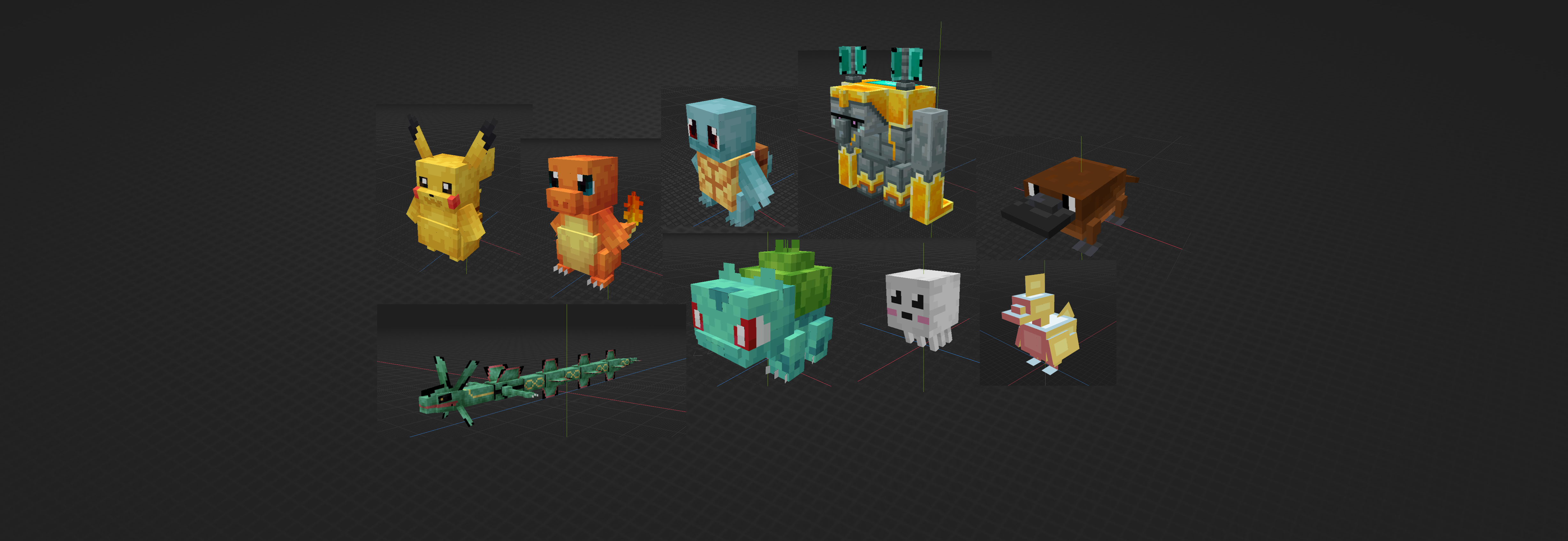
BBModel → BDEngine Converter
This project started from a common pain point for Minecraft creators: many 3D models
are made in Blockbench, but are hard to reuse in vanilla Minecraft
without relying on mods. I built a converter that automatically transforms
.bbmodel files into structures compatible with
Block Display Engine (BDEngine), using only vanilla display entities and
player heads.
Context and goals
Minecraft creators often have to choose between:
- mods, which are powerful but require local installation and are bound to specific versions; or
- pure vanilla, easier to distribute but limited for advanced 3D content.
The main goals of this converter are to:
- reuse existing Blockbench models in vanilla Minecraft, with no client-side mods;
- generate BDEngine structures (heads, matrices, textures) directly from a
.bbmodelfile; - offer two modes: a fast conversion (stretch) and a higher quality one (smart cube).
My role
This is a personal open-source project that I've designed and implemented from end to end:
- analysed Blockbench and BDEngine formats and defined the conversion strategy;
- implemented the full pipeline in Python (parsing, 3D maths, textures, output);
- designed the smart cube subdivision algorithm to reduce texture stretching;
- wrote documentation and published the project on GitHub.
Overall idea
Blockbench lets creators build cube-based models by specifying dimensions
(from/to), rotations, and UV coordinates for faces. Models are saved
as .bbmodel JSON files and primarily targeted at mods and resource packs.
BDEngine, developed by illystray,
is an open-source engine that simplifies 3D object creation using vanilla display entities.
Each cube is represented by a player head whose scale, rotation, and texture can be
controlled. My converter bridges these two worlds by turning a Blockbench model into a
.bdengine file that can be spawned in-game with commands or datapacks.
Unlike mods, everything runs in vanilla Minecraft, which makes sharing and adoption much easier for servers and map makers.
BBModel vs BDEngine (high-level view)
In Blockbench, geometry is made of several elements (parallelepipeds) defined in pixels inside a local 3D coordinate system. BDEngine, on the other hand, only knows display entities positioned in blocks and centered on the top face of an 8×8×8 head.
Conversion therefore requires:
- a change of coordinate system and units (pixels → blocks);
- computing a model center to correctly align the entire structure;
- building a per-head 4×4 transformation matrix.
Technical details - positions and scales
For each element, the converter computes:
- the lower corner position: $bottom = (\min(x_f, x_t), \min(y_f, y_t), \min(z_f, z_t))$;
- the size in pixels: $width = |x_t - x_f|$, $height = |y_t - y_f|$, $depth = |z_t - z_f|$;
- local rotation (X, Y, Z) in degrees.
The engine places each head relative to the center of its top face. If an element has size width × height × depth and lies on $bottom = (b_x,b_y,b_z)$, then:
The position in blocks is obtained by subtracting the model center and dividing by 16:
The scale is deduced from the ratio between element size and the native head size (8 pixels):
Technical details - rotations and matrices
Blockbench rotations follow the “Z → X → Y” order. To obtain the 4×4 rotation matrix used by BDEngine, we first compute elementary rotations (in radians) on each axis:
Combined with scale, this matrix is embedded into a 4×4 transformation matrix:
This matrix is written directly to the .bdengine file and interpreted in-game
by the head display entity.
Smart subdivision
The converter supports two strategies:
- Stretch: one Blockbench element becomes a single stretched head - fast but sometimes visually distorted;
- Smart cube: elements are subdivided into several small cubes (16, 8, 4, 2, or 1 pixels per side) to preserve pixel shape and texture quality.
An optimisation algorithm analyses element dimensions and UV coordinates to choose the best decomposition. Flat faces are converted into thin heads (thickness ≈ 0.011 block), which simulate flat panels and reduce the total number of heads.
Player heads use a 64×64 pixel texture template where each face occupies an 8×8 region.
The converter maps Blockbench UV regions into these template areas (for example,
north onto 8-16, 8-16). A simple affine transformation keeps pixels square
(1:1 ratio) and avoids distortion when applying the texture.
Code architecture
The project is organized into several modules:
converter.py: entry point coordinating.bbmodelparsing, texture extraction and compressed.bdenginewriting (gzip + base64).conversion_strategy.py: defines StretchConversionStrategy and SmartCubeConversionStrategy.head_factory.py: builds BDEngine head JSON structures and transformation matrices.math_utils.py: trigonometry helpers, 3×3 and 4×4 rotation matrices, 3D point transforms.texture_manager.pyandtexture_subdivider.py: texture loading, transparency handling, UV extraction and subdivision.smart_cube_optimizer.py: chooses cube combinations and balances head count vs visual quality.
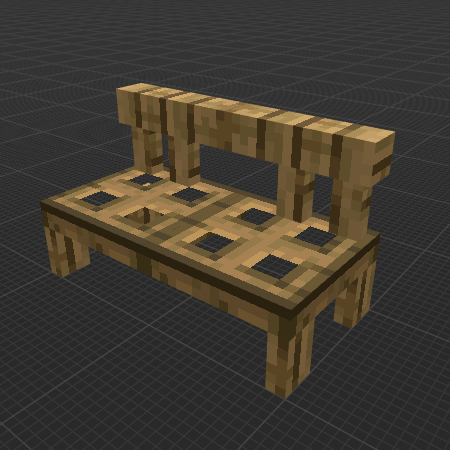
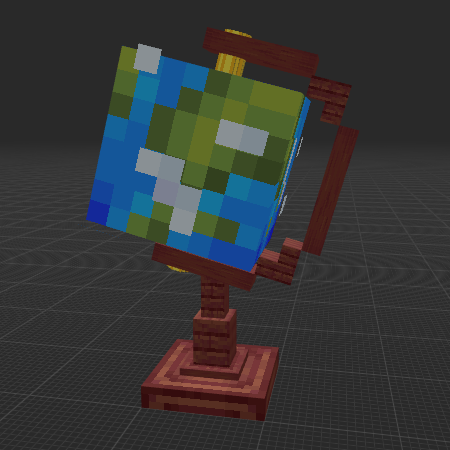
BDEngine creations
Before looking at converted models, here are a few examples of builds made directly with BDEngine to showcase what vanilla display entities can achieve.
Converted model examples
Here are a few concrete examples of Blockbench models converted to BDEngine:
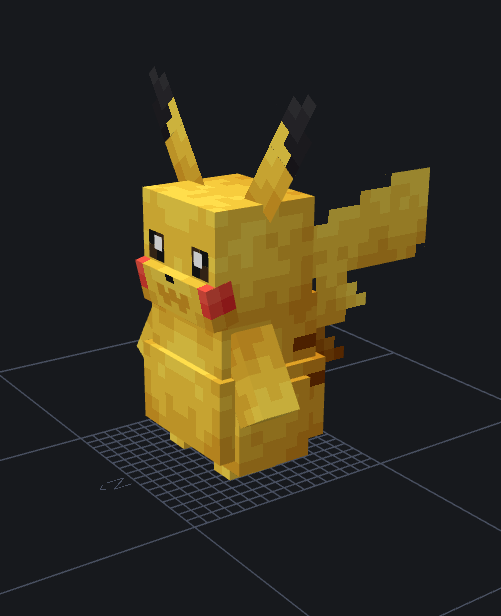
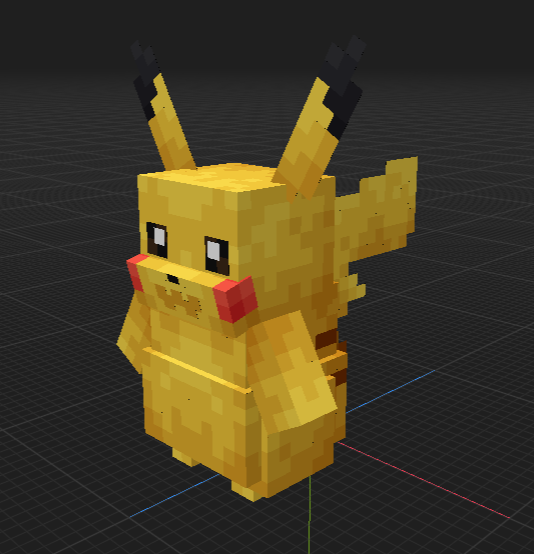
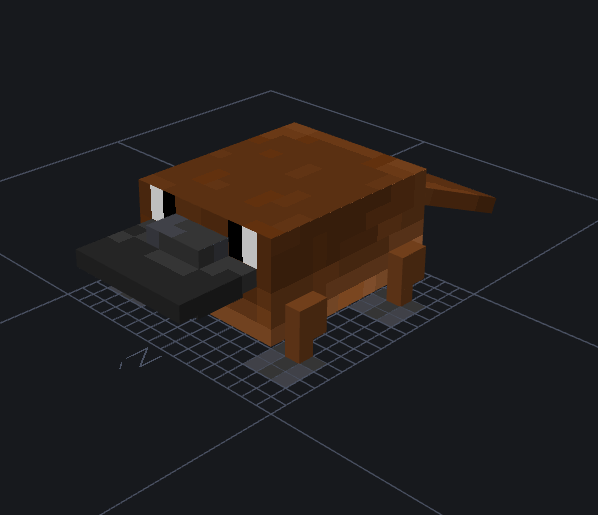
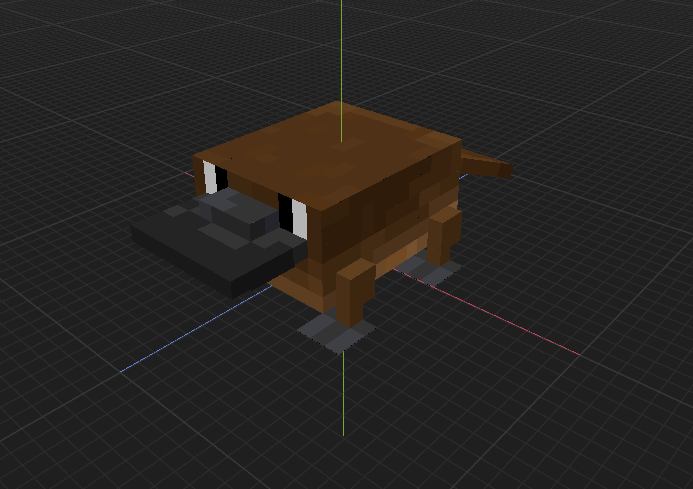
These examples show that the converter can handle complex Blockbench models and produce faithful BDEngine structures that can be used in vanilla Minecraft.
Limitations and future work
The converter is still evolving:
- high-resolution textures (> 16 pixels per block) require adapted subdivision strategies (32×32, 64×64);
- transparent regions could be handled more efficiently to reduce head count;
- relative positioning of Blockbench groups (
outliner) can be refined to match the editor exactly; - the BDEngine API is evolving and may unlock features such as lighting, animations or dynamic textures.
Concepts and tools
- Python (standard libraries)
- Numpy for matrices and rotation calculations
- Pillow for image processing and PNG encoding
- JSON and Gzip for model serialization
- Minecraft Block Display & player head mechanisms
- Applied maths: linear algebra, trigonometry, frame changes, optimisation.